KitchenAid
KitchenAid’s was experiencing declining conversion rates. Through a strategic and ongoing A/B testing program, user behaviour was analysed and solutions were tested to refine the purchase journey. These improvements led to higher engagement, increased add-to-cart actions, higher average order value, and a website experience that reflects the premium quality of KitchenAid’s products.
UX/UI Design
AB Testing
Research Quantitative & Qualitative
Always start with the research
KitchenAid provided comprehensive research on their key customer segments, which we enhanced with additional CK-led tactics to create actionable insights.
Customer Segment Insights
Baseline Analysis
User Journey
UX/UI Review
Information Architecture
Conversion Review
Customer Segments Identified
Passionate Maker
A younger, female skew who is passionate about cooking & baking. They own the largest amount of KA products, have the strongest brand affinity & connection to the brand.
Healthy Provider
A younger, female skew who is all about healthy, wholesome cooking & spending time with kids in kitchen. They have a moderate brand affinity & preference, KA is more of a means to an end.
Style Seeker
An older, male skew who is less into cooking, and more into having a stylish kitchen. They have a strong brand affinity & preference however instead of cooking specifically, they love KA for its style & high-end quality.
Optimisation 1
Design Product Listing Page
Problem
KitchenAid products appeal to their Style Seeker segment due to their bright colours which make a statement in kitchens. However research highlighted that there were many pain points across the site when shopping by colour.
Data showed a high drop off in the Stand Mixer product listing page which is where we saw the most opportunity to optimise first.
Key Pain Points Identified
Filters & Colour
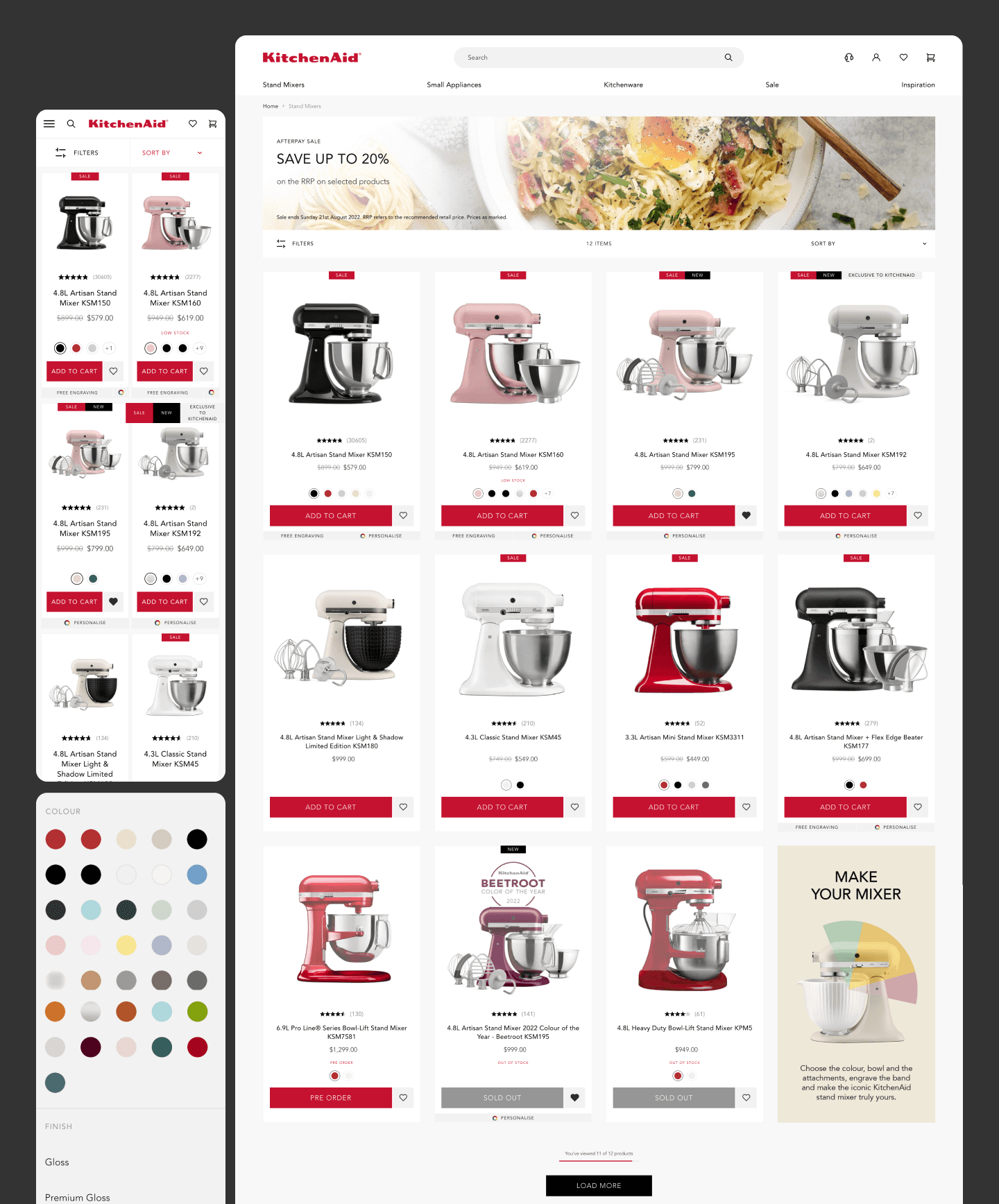
Filters were buried within a horizontal bar, making them easy to miss by all segments and required an additional click to access. Additionally, the colour filtering was overly granular—listing every individual shade—so Style Seekers often had to select multiple options to view all products within a single colour family.
Model Clarity
Users struggled to quickly scan the page and differentiate between models. As a result, the feature driven Passionate Maker & Healthy Provider segments were forced to repeatedly navigate between the PDP and PLP to piece together key differences in features and pricing.
Reasons to Buy
Direct purchasing via KitchenAid.com had only recently launched, and the existing experience did not clearly communicate the value of buying direct compared to the familiar retail channels users typically rely on.
Existing PLP Design
Solution
A full page redesign was proposed to significantly improve the user experience.
While comprehensive redesigns are not always the preferred approach, the client was keen to move quickly to unlock conversion gains.
Based on strong quantitative and qualitative insights, the team had high confidence in the direction—positioning it as a low-risk, high-impact opportunity and were also eager to implement all improvements within a single test.
Key Pain Points Resolved
Filters & Colour
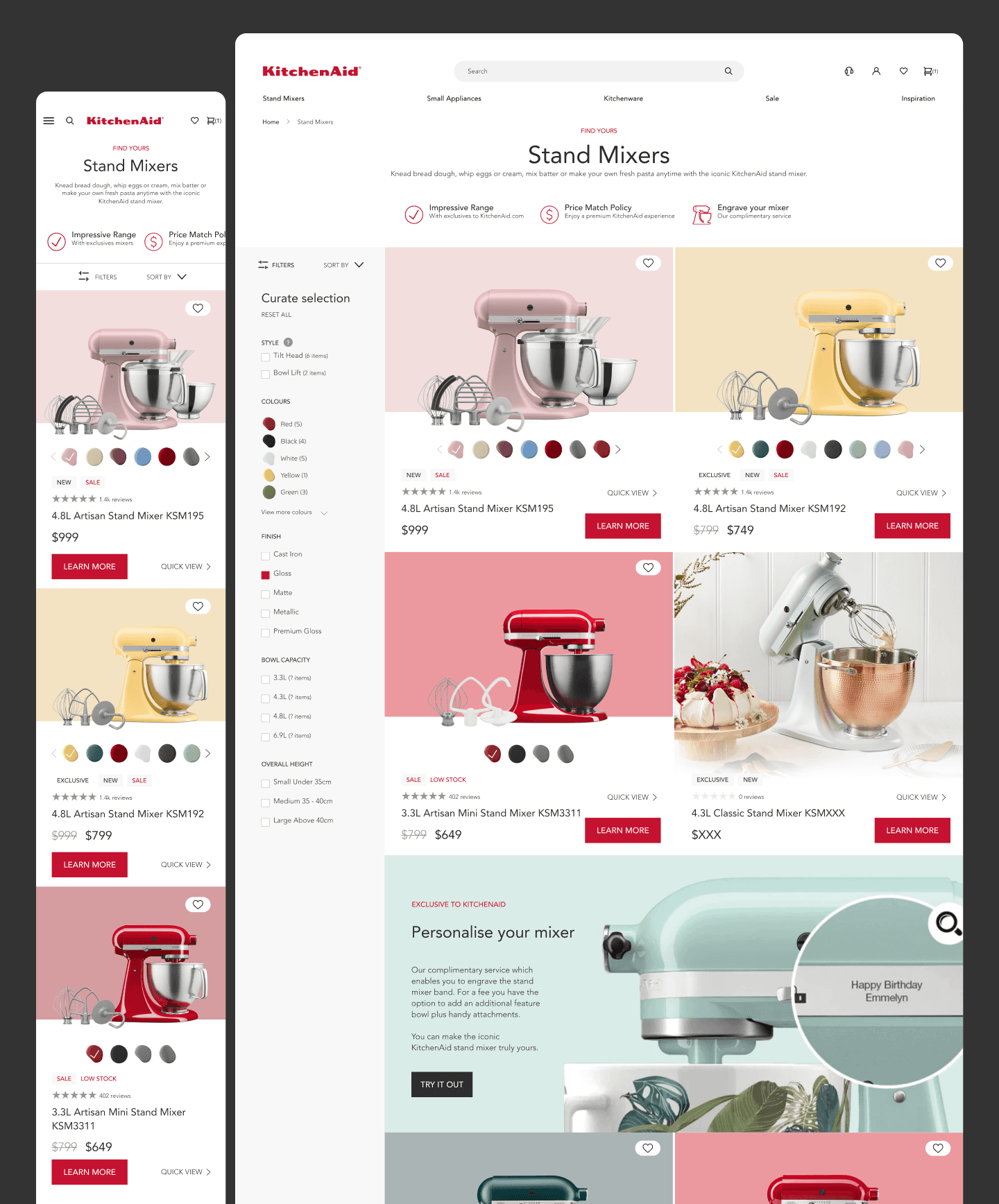
A persistent vertical filter was introduced, increasing prominence and providing immediate, frictionless access to filtering options.
Colour variants were consolidated into broader colour families, reducing selection complexity and ensuring users could view all relevant products without missing options.
Additional contextual information was also introduced via a tooltip to clarify the differences between mixer types, addressing a key area of user uncertainty.
Model Clarity
Reducing the product grid from four cards to two increased card size, allowing more space to communicate product value.
Consistent imagery showcasing included accessories improved clarity around what’s included and reinforced perceived value against price.
A quick view feature, embedded within the product card, enabled users to access additional information directly on the PLP—enhancing discovery without disrupting the browsing flow typically caused by opening and closing overlay modals.
Reasons to Buy
Hero CVPs highlighted clearly the benefits of purchasing on Kitchenaid.com
A large in-grid tile highlighted an exclusive offer which took users on a journey to create a personalised mixer.
Optimised PLP Design
Optimisation 2
Design Product Display Page
Problem
Add-to-cart rates declined by 59.55% in Q1 2024 compared to the previous year, highlighting Product Display Pages (PDPs) as a key area for improvement.
Key Pain Points Identified
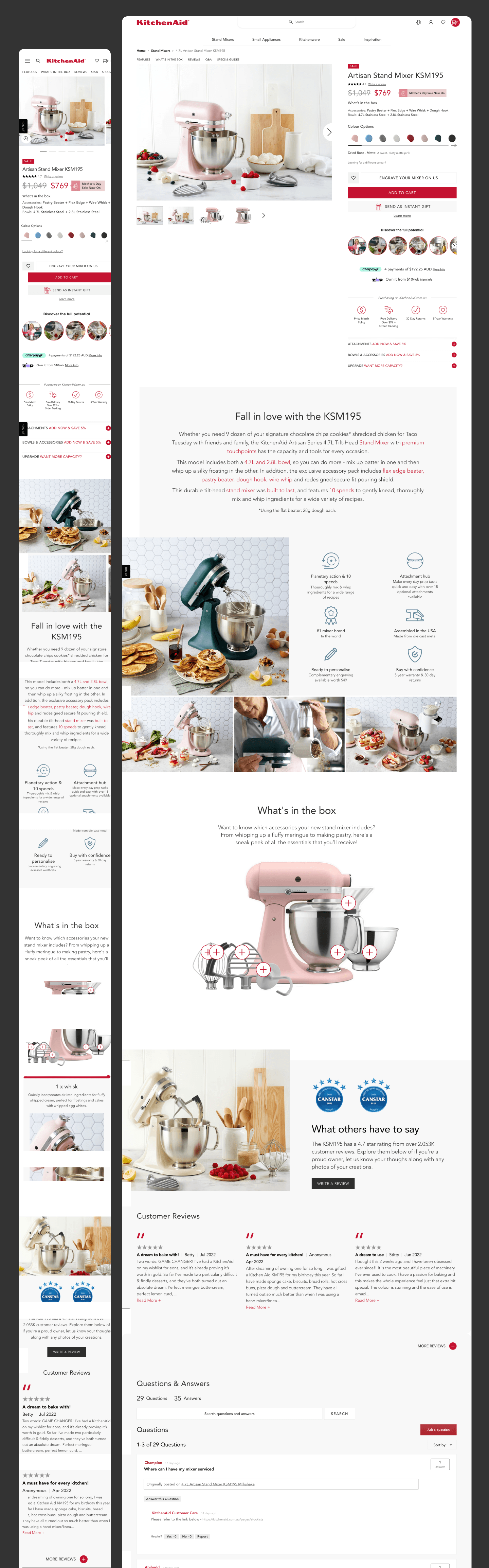
In-page Navigation
Users were unable to explore & navigate to specific areas of interest throughout the long page due to a lack of in-page navigation.
Hero Space
Key elements above the fold weren’t tested to determine which drove conversion versus which added unnecessary clutter.
Components
Components felt disjointed & used different layouts which required the user to relearn how to interpret each one, increasing cognitive load & likely increasing bounce rate.
Image Gallery
The image gallery followed a traditional layout with small thumbnails, requiring users to actively interact to view additional product images.
Existing PDP Design
Solution
A full page redesign was proposed to significantly improve the user experience.
While comprehensive redesigns are not always the preferred approach, the client was keen to move quickly to unlock conversion gains.
Based on strong quantitative and qualitative insights, the team had high confidence in the direction—positioning it as a low-risk, high-impact opportunity and were also eager to implement all improvements within a single test.
Key Pain Points Resolved
In-page Navigation
In-page navigation was introduced. This was positioned below the image gallery and became fixed as the user scrolled past it. It allowed the user to interpret all the page content, then navigate to components of interest.
Hero Space
A series of tests were conducted to identify which hero elements drove conversion. The winning variation incorporated stock messaging to create urgency, reviews anchored to the full component, and simplified BNPL pricing.
Components
All components were redesigned to follow a consistent layout, enabling users to interpret and interact with content uniformly across the page. The hierarchy was tested to identify which components should be prioritised.
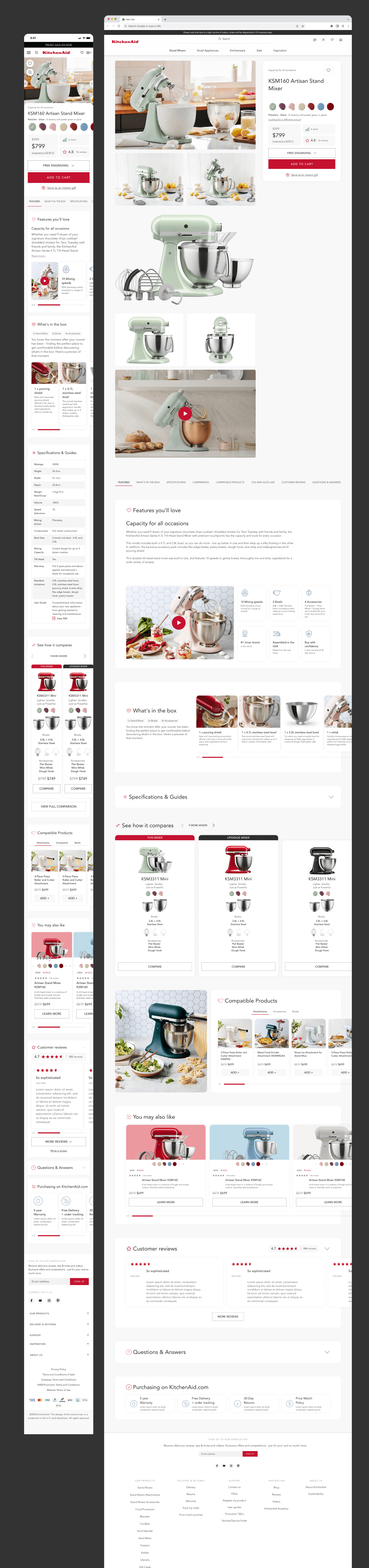
Image Gallery
On desktop, a new, more modern image gallery was introduced, requiring less user interaction to view a wider range of large images. This brought the mixer to life while keeping product information consistently visible in the right-hand column.